
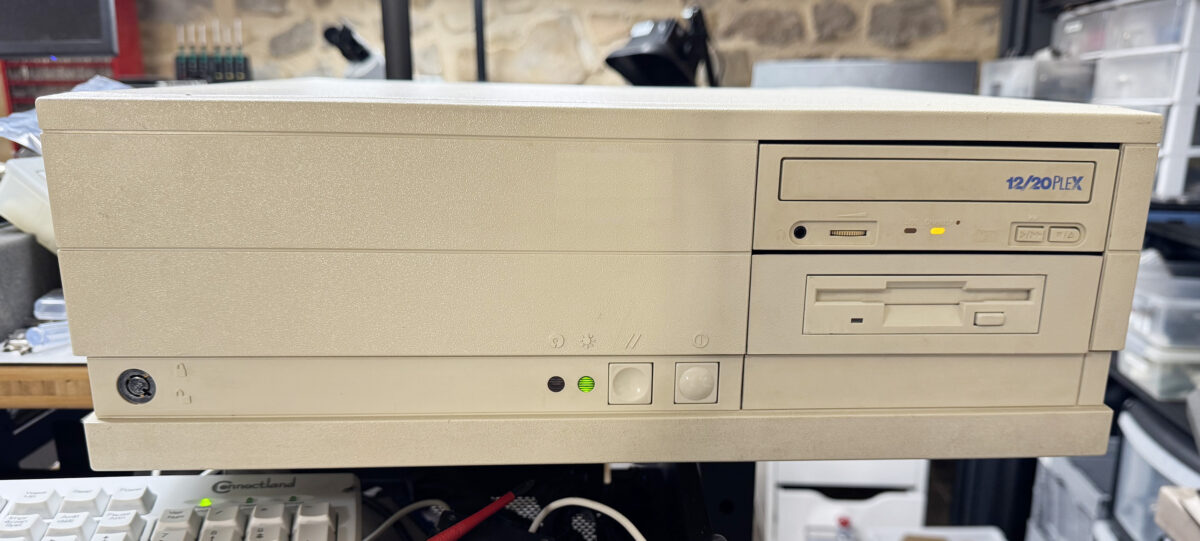
I’ve just finished restoring one of the few computers Intel produced in the early 1990s, and I’d like to share a few pictures of this wonderful platform. It has all the ingredients to catch the eye of retro enthusiasts: a full EISA motherboard, a design that served as the reference platform for the infamous 50 MHz 486DX and the original Pentium 60 MHz, a unique chipset found nowhere else, modular CPU boards, and more. Launched in 1992 and discontinued in 1995, the Intel Xpress product line sat somewhere between the personal computer and the workstation. These were not ordinary home PCs, but modular, expandable machines built for professional and networked business use (and also built like tanks). Three versions were produced: the Xpress Desktop, the Deskside/LX (tower/server), and the Deskside/MX (tower/server with SCSI). The latter models were also rebranded by HP as part of its early NetServer line. A few months ago, I bought an Xpress Desktop from Germany in very poor condition, and it clearly deserved some love.
The motherboard and chipset
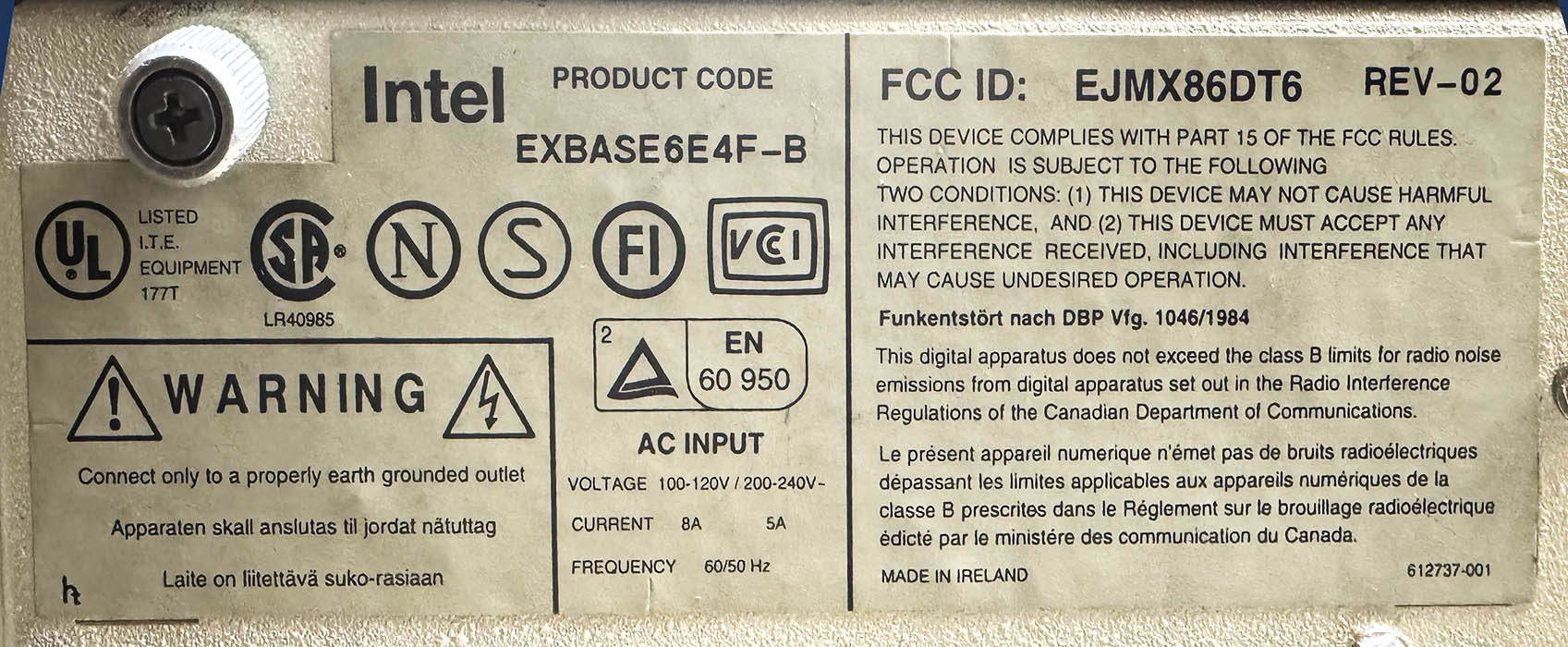
Let’s start with the motherboard. The entire Intel Xpress line was built around two main boards: the 6-slotused in the Desktop, and the larger 8-slot XBASE6TE8F for the Deskside server chassis, available in SCSI and non-SCSI versions. Here is the board that came with my Xpress system:
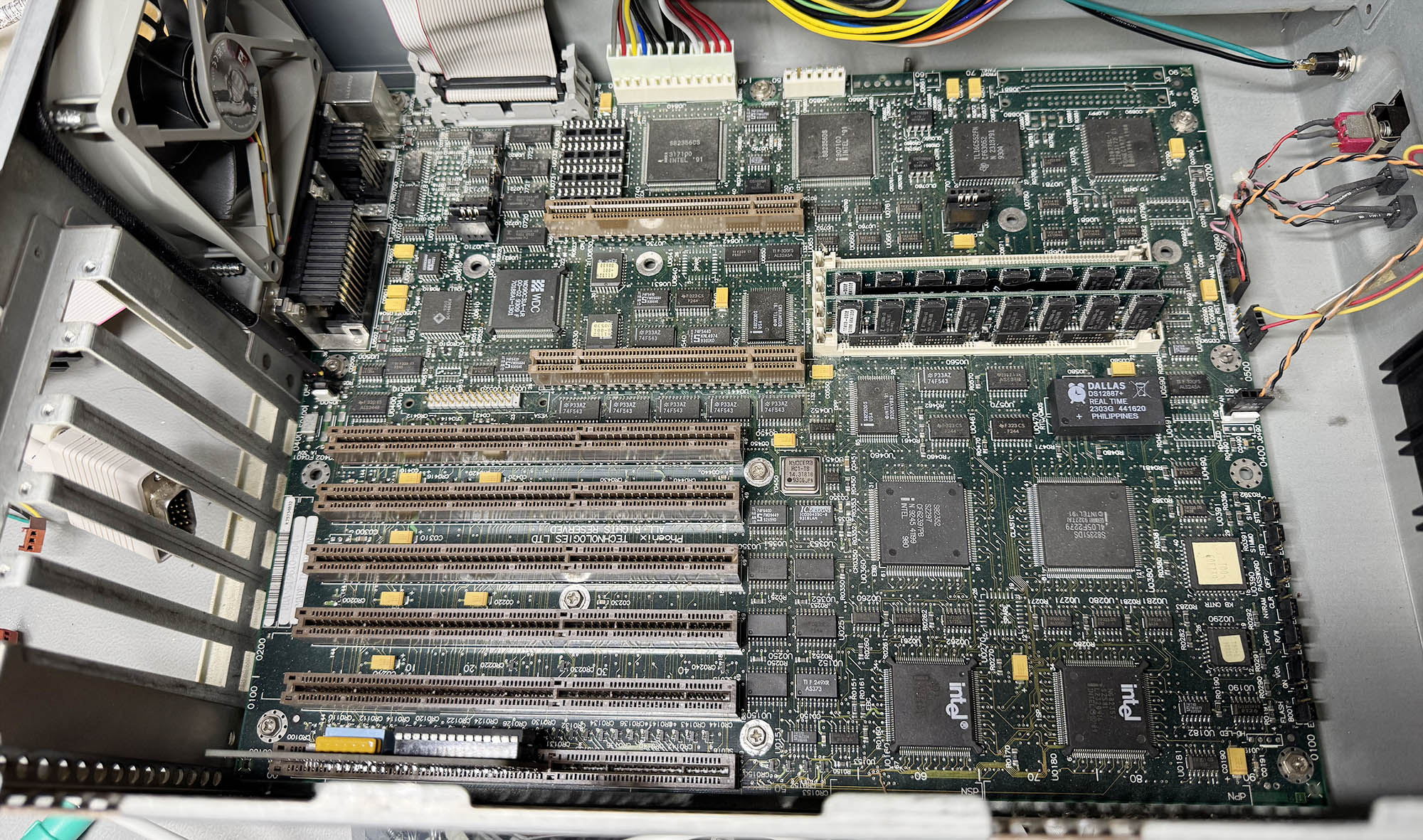 Fortunately, a complete parts and revision log for the Xpress series has survived, which made it possible to identify this board in more detail. The PBA 519610-004 sticker indicates that it is the 10th revision out of a total of 14, manufactured in July 1993. As expected, the motherboard is equipped with 6 EISA slots. The board is built around two distinct chipsets that divide the work between the system core and the expansion bus: Intel’s own Xpress chipset, which handles the processor, memory, cache coherency, and onboard I/O, and a separate EISA chipset, which manages communication with the EISA/ISA expansion bus.
On the Xpress side, the MECA (Memory to EISA ASIC – 82356CS) links main memory to the EISA bus, arbitrates access between the CPU and bus masters, manages memory decoding, and supports cache snooping as well as parity or ECC memory; the RCA (RAS/CAS Control ASIC – 82356DS) controls DRAM timing and addressing, generating the RAS/CAS signals and handling the multiplexed addresses for the 64-bit memory subsystem; two DPP (Data Path Parity – 82353DS) chips provide parity generation and checking for the wide DRAM data path; and the CLASIC (Common Local ASIC – 82351DS) takes care of local peripherals and system I/O, including the video controller, flash memory, EISA ID logic, and standard ports such as floppy, IDE, serial, parallel, and mouse.
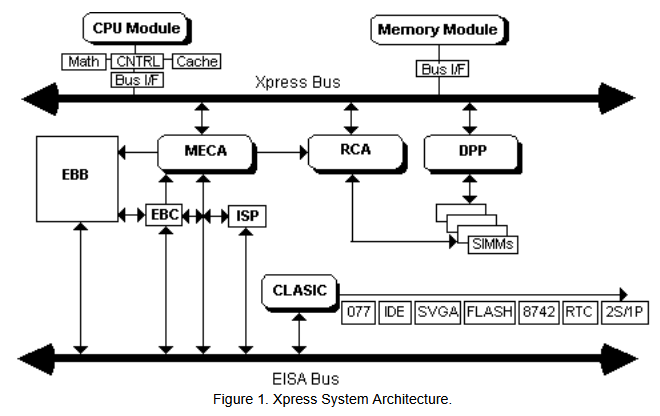
Alongside it, the EISA chipset handles the expansion side of the machine: the EBC (EISA Bus Controller – 82358DT) translates CPU commands into EISA and ISA bus operations and controls bus cycles, DMA, bus-master access, and data steering; the ISP (Integrated System Peripheral – 82357) integrates core system functions such as DMA channels, timers, interrupt controllers, refresh logic, and EISA arbitration; and the EBB (EISA Bus Buffer – 82352) provides the physical buffering, latching, and parity support needed for reliable address and data transfers on the EISA bus.
The two slots on top of the EISA physically look like PCI slots, but they are dedicated to CPU and RAM daughter boards. Of course, the battery inside the original Dallas DS1287 RTC/CMOS chip was fully depleted and had to be replaced with a modern compatible DS12887+ chip. Luckily, the original Dallas chip was socketed and not soldered on the board. I added two 16 MB DIMM memory stick with ECC parity (x36 bus) as the board doesn’t accept standard 32-bit DIMMs.
CPU Boards
Up to 12 CPU boards were available for the Xpress motherboards, covering nearly the entire range of 486 and early Pentium processors: 486SX/25, SX/33, DX/33, DX/50, DX2/50, DX2/66, DX4/100, as well as the Pentium 60, 66, 90, and 100. There was even a rare dual-processor board featuring two Pentium 66 MHz CPUs in SMP, compatible only with later revisions of the 8-slot EISA motherboard. I was lucky enough to find three different boards, including the most iconic.
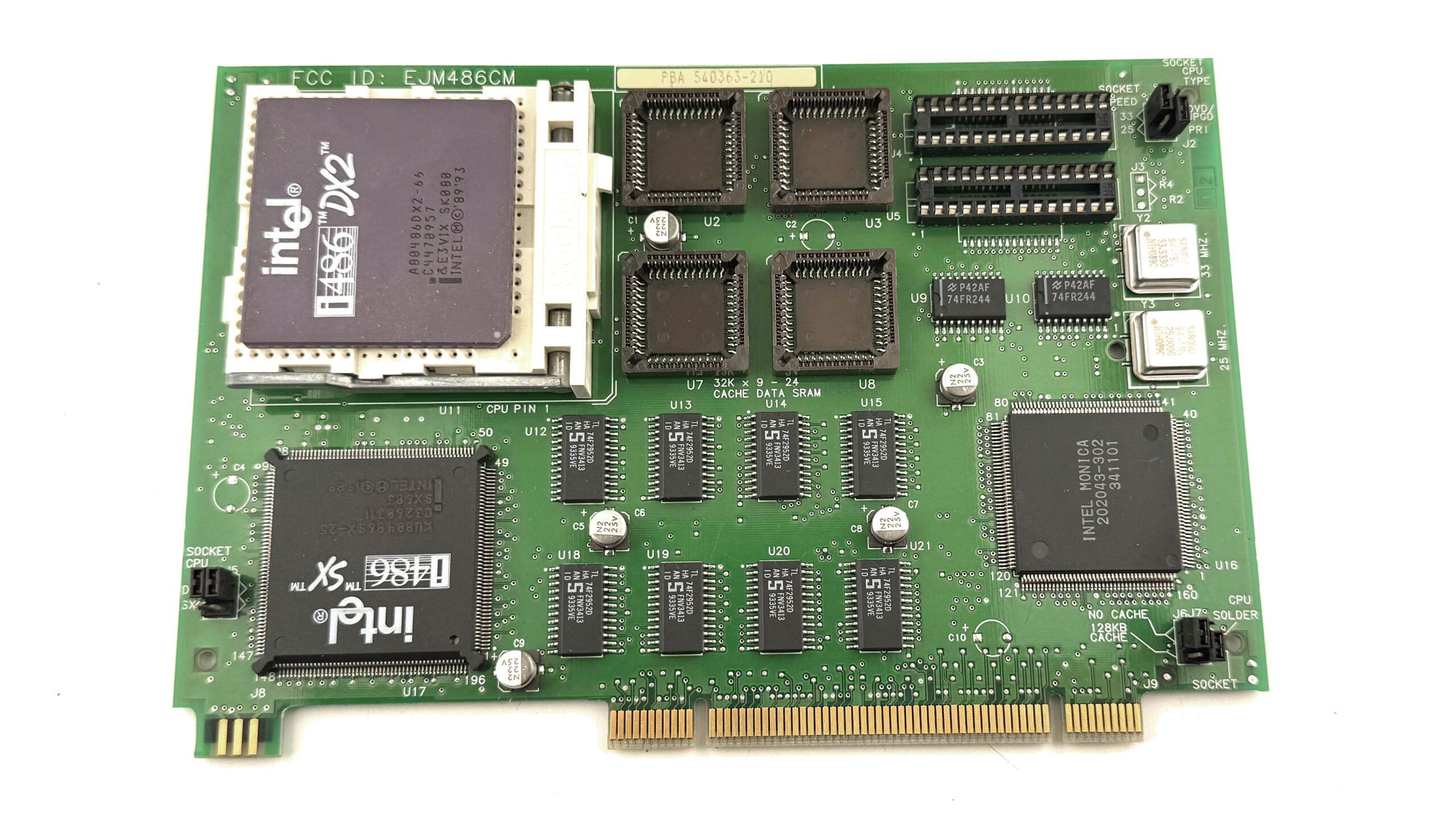
This EJM486CM/BXCPU486SX25 (PBA 540363-210) is the latest revision of the most affordable CPU board in the range. It comes with a low-cost 486SX/25 processor soldered directly to the board, but also includes an empty Socket 3 ZIF socket for a CPU upgrade. It can accept an OverDrive processor or virtually any 5-volt 486 up to a DX2/66. Intel fitted the board with two quartz oscillators, 25 MHz and 33 MHz, allowing a single jumper to select either one. A second jumper is used to choose between the onboard CPU and the one installed in the socket. No L2 cache is fitted as standard, but 128 KB can be added later by the user with 4x 32 KB PLL chips and 2x DIP Tag RAMs.
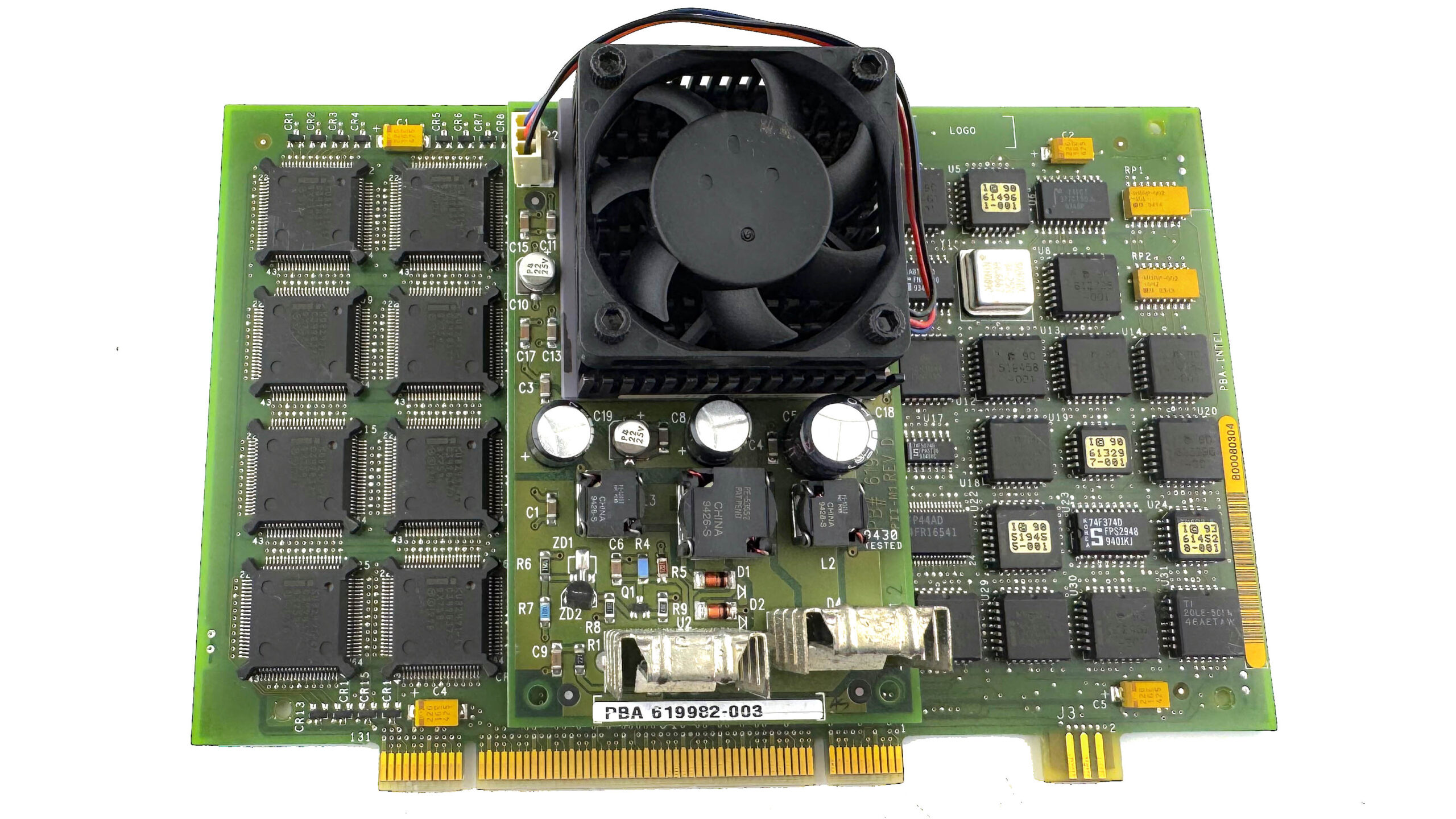
I also managed to find a very nice BXCPUPENT66 (614023-006) board, fitted with the legendary 66 MHz Pentium. The Xpress platform also served as Intel’s reference system for debugging the original Pentium before its official release. A number of pre-production CPU boards based on the Pentium 60 MHz are documented from the period leading up to the 1993 launch of Intel’s first Pentium processor. The purpose of the large PCB interposer placed between the CPU and the CPU board is especially interesting: it is a massive DC-to-DC voltage converter used to raise the motherboard’s +5V supply to +5.4V. This was a rather crude last-minute fix, added because the Pentium 66 MHz, originally meant to run at 5V, proved unstable at that voltage. It made the CPU’s overheating problem even worse, but at least it allowed the system to operate reliably.
This high-end CPU board is also equipped with an expensive Intel 82496 cache controller and eight Intel 82491 32 KB SRAM chips, for a total of 256 KB of write-back L2 cache running at full speed with no wait states. That was truly state of the art in 1994! The CPU on my board is also a C1 stepping part, which means it is affected by the infamous FDIV bug.
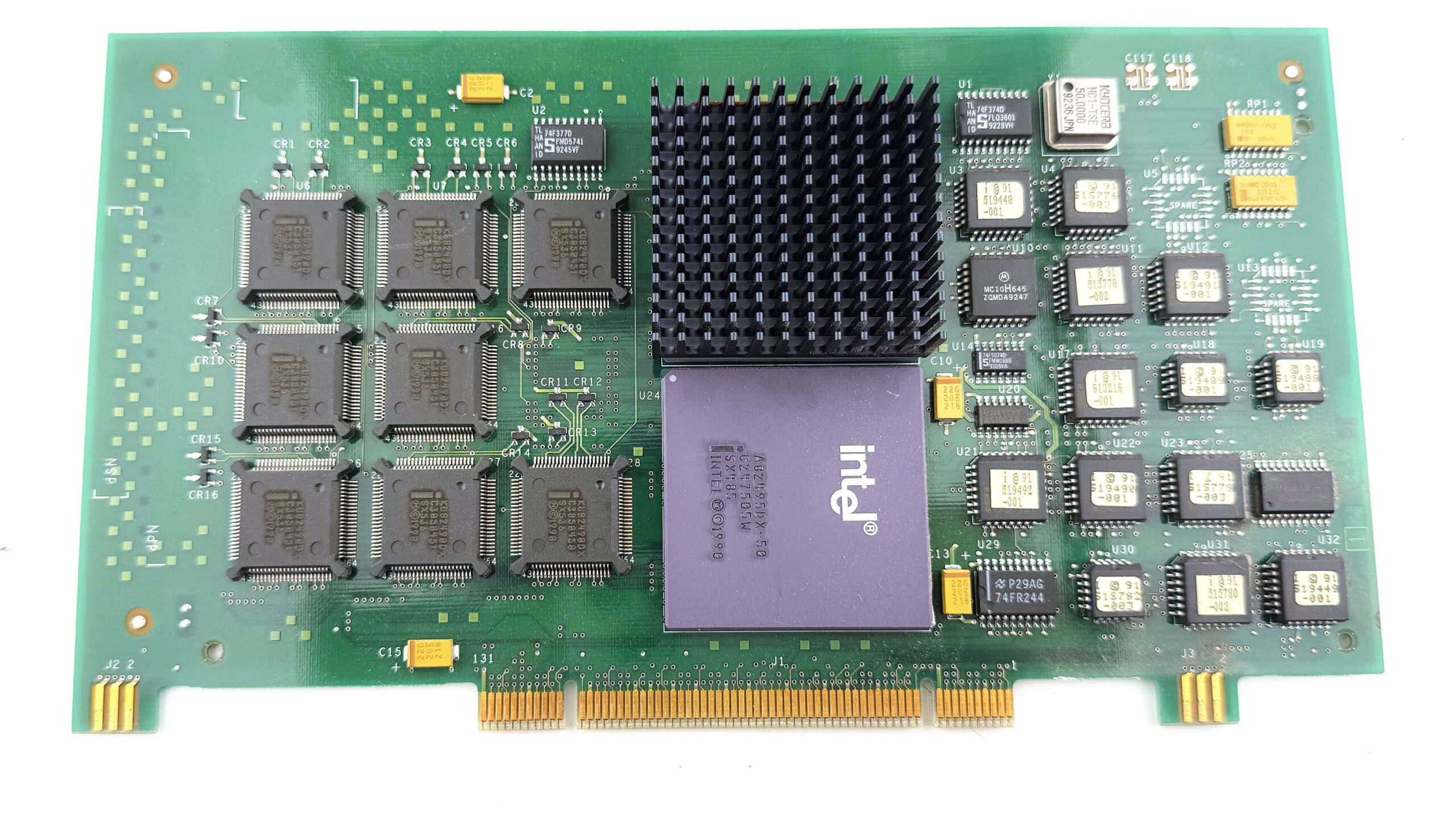
But the board that will definitely stay in this Xpress Desktop is the BXCPU48650, because nothing suits the machine better than a proper 486 DX 50 MHz (not to be confused with the slower DX2-50). Among 486 processors, the DX-50 has always had a special reputation. Unlike the far more common DX-33, DX2-66, or DX4-100, which all relied on a 33 MHz external bus and reached higher internal speeds through clock multiplication, the 486DX-50 ran both the CPU and the front-side bus at a full 50 MHz. That made it one of the most aggressive 486 designs Intel ever put into production. Intel announced the 50 MHz 486DX in 1991, but it never became a mainstream part, in large part because pushing an entire 486 platform to a true 50 MHz bus placed heavy demands on the motherboard, chipset, cache, and expansion subsystem (especially ISA).
As a result, only a few high-end motherboards offered stable DX-50 support, and the processor was soon overshadowed by the more practical DX2-66, which delivered better overall performance while keeping the external bus at a far easier 33 MHz. The DX-50 was therefore a short-lived dead end in commercial terms, but that’s precisely the reason why it became legendary: it represents the 486 generation pushed right to the edge, before clock-doubling became the cleaner solution. For a machine like the Intel Xpress, with its unusual architecture and reference-platform pedigree, the BXCPU48650 feels like the most historically fitting choice.
Now it’s time to fit the beast with some nice cards!
EISA cards
The EISA bus (Extended Industry Standard Architecture) was one of the early 90s’ attempts to improve the old ISA standard used in IBM-compatible PCs. It was mainly designed for high-end desktops, workstations, and servers, and offered a wider 32-bit data path, bus mastering, and more advanced setup features. One of its biggest advantages was that it stayed fully compatible with older ISA cards, so an EISA machine could still use existing expansion hardware. This made it a good transitional technology rather than a complete break from the past. Even so, EISA did not last very long. It was mostly used in expensive systems, and during the 486 era it had to compete with VESA Local Bus (VLB), which was especially attractive for graphics and storage. In the end, both were replaced by PCI.
Finding EISA cards today is quite difficult, but I had saved a few over the years for a good project like this one.
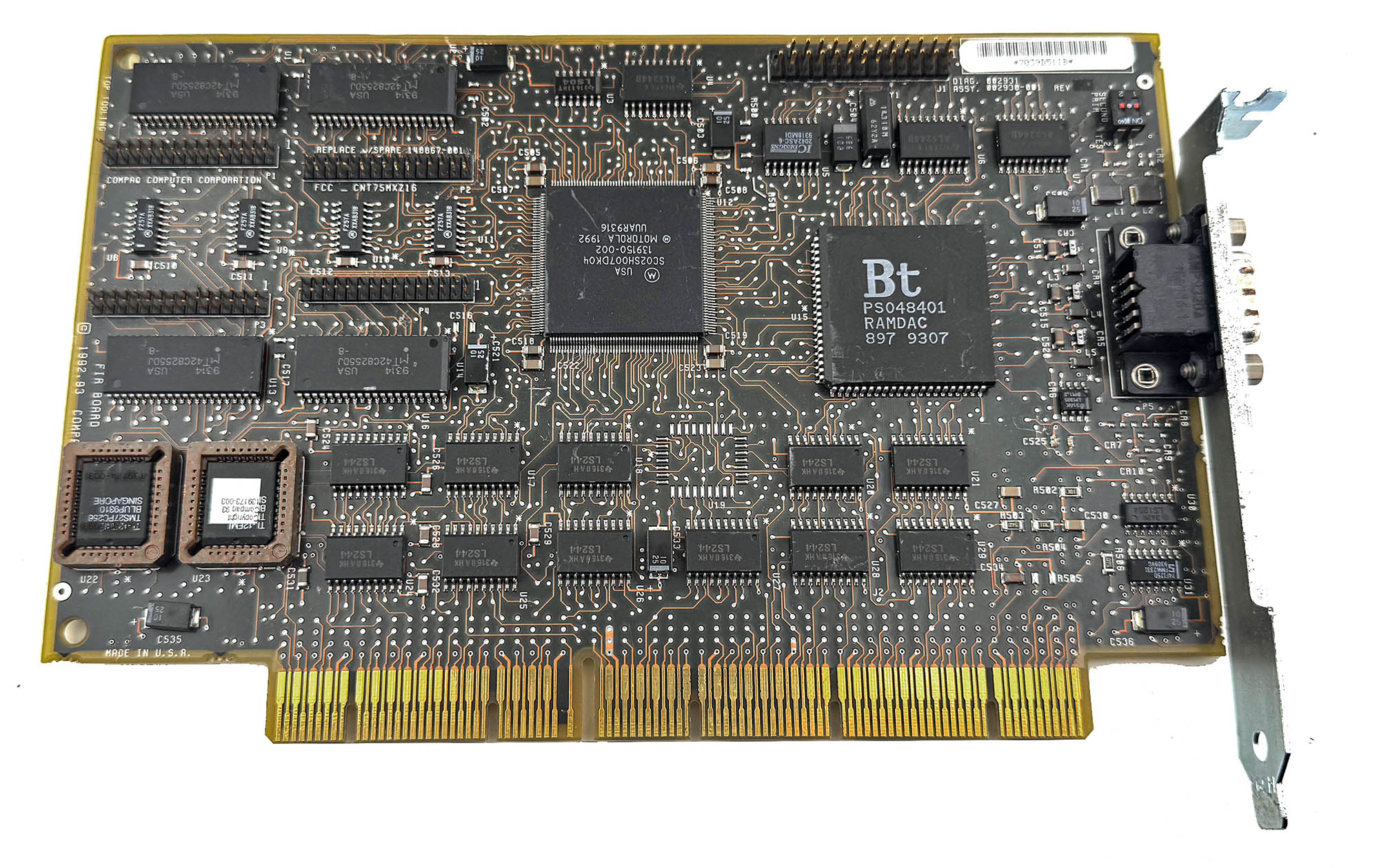
The first one is a Compaq QVision 1024/E VGA card for the EISA bus. It has 1 MB of video RAM, a Brooktree Bt484 RAMDAC, and a rare Motorola SC02SH007DK04 graphics chip. As far as I know, no datasheet or detailed documentation for that chip has survived, so its exact features are still unknown. What benchmarks do show, however, is that the QVision 1024/E is much faster than its ISA version (QVision 1024/I). It is also faster than a good ISA card based on the Tseng Labs ET4000, and under DOS it reaches about 80% of the performance of a Matrox Millennium (PCI), which is very impressive for an EISA graphics card.
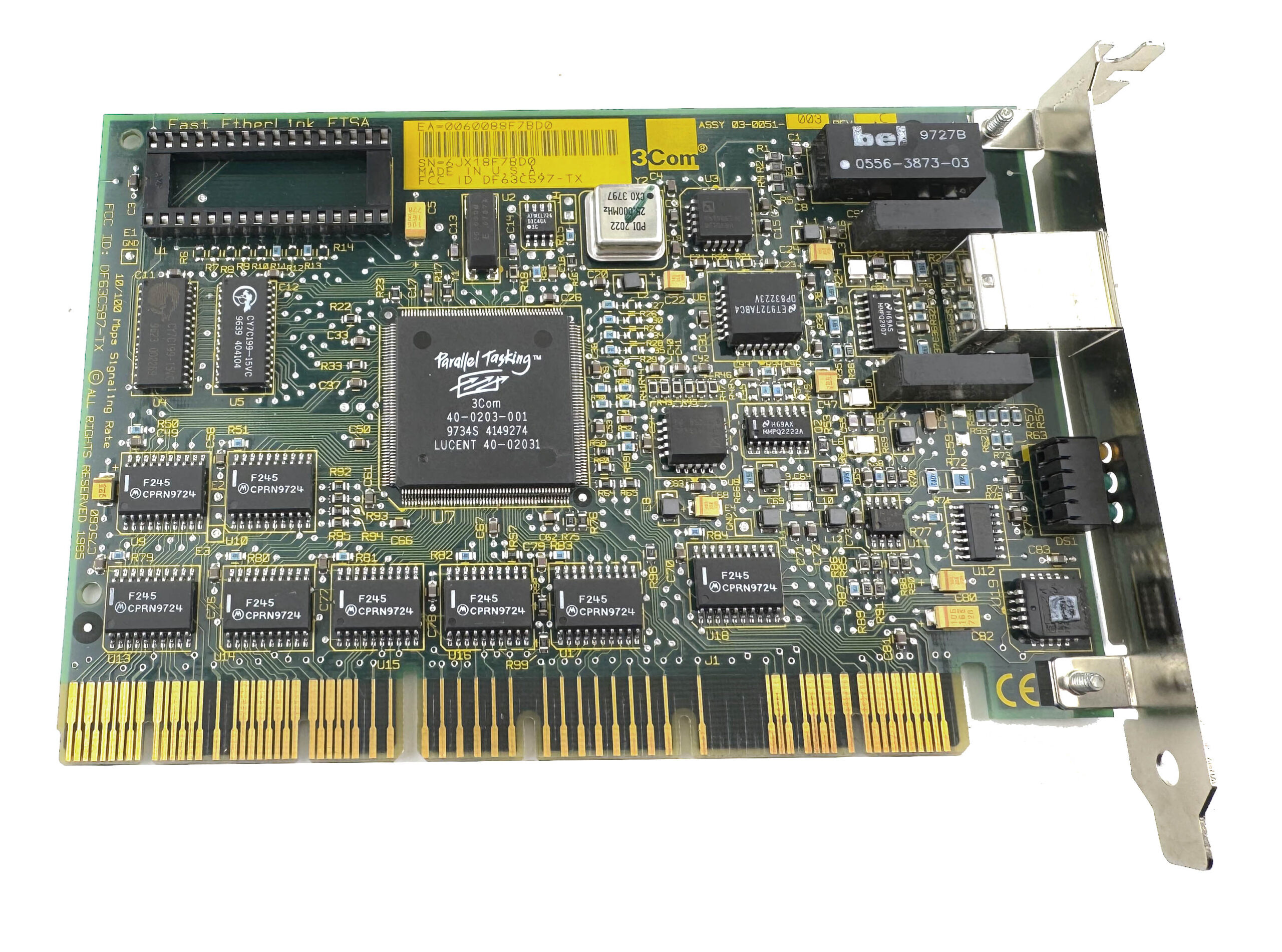
Next one is a 3Com 3C597-TX network card. It is an EISA Fast Ethernet adapter with a standard RJ45 port, supporting both 10Base-T and 100Base-TX networking over twisted-pair cable. That already makes it a rather unusual card for a machine like this, because true 100 Mbit/s Ethernet was still a high-end feature at the time and was mostly found in serious workstations and servers rather than ordinary desktop PCs. The 3C597-TX is a 32-bit EISA card, and 3Com marketed it as part of its Fast EtherLink family, with bus-mastering support and an optional boot ROM for network boot environments. In a system like the Intel Xpress, it feels completely at home: period-correct, very capable, and a good reminder that this platform was designed for professional networking as much as raw CPU performance.
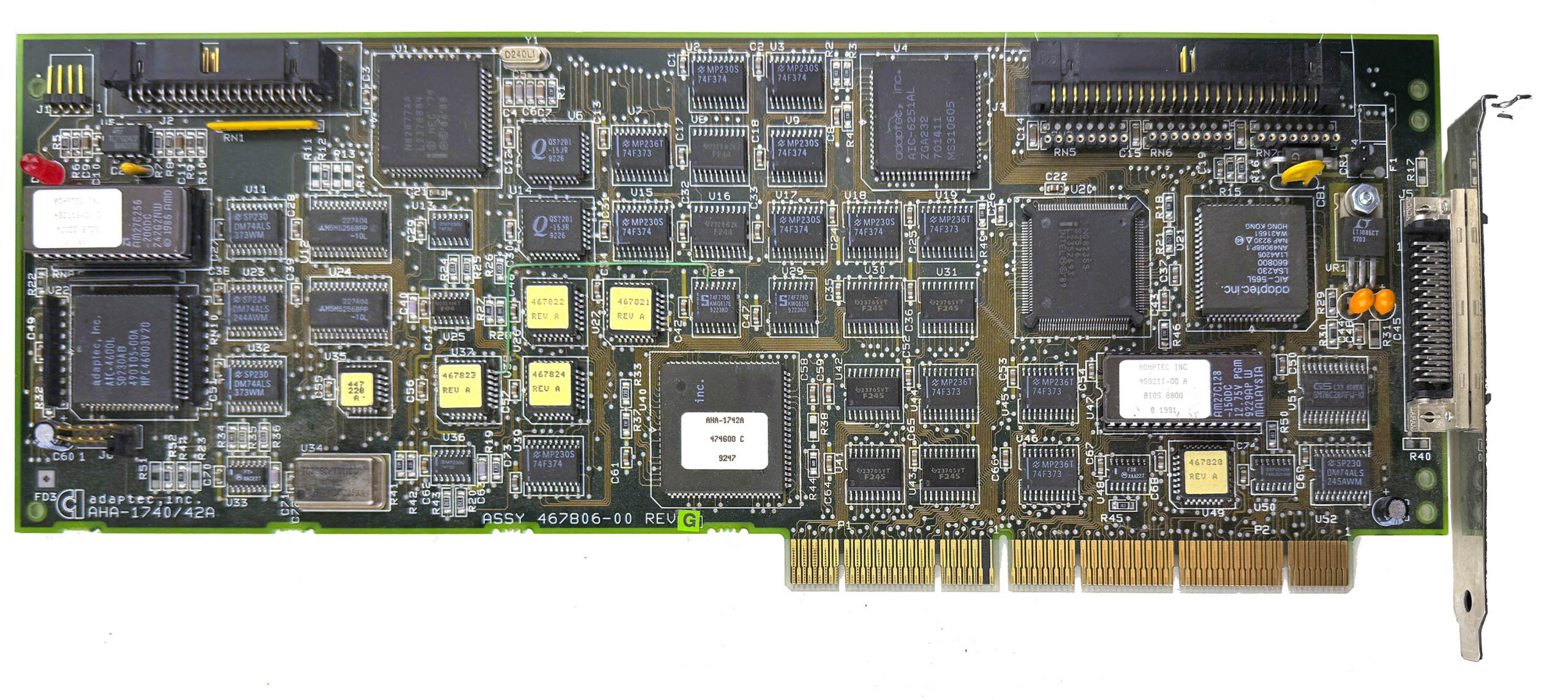
And then, the behemoth of EISA cards, the Adaptec AHA-1742A. This is a full-length, full-height EISA-to-Fast SCSI host adapter, built for serious storage hardware rather than ordinary desktop use. The card is a 32-bit bus-mastering controller, designed to link the EISA bus to single-ended Fast SCSI, and it supports up to seven SCSI devices on the bus. It also includes both an internal 50-pin SCSI connector and an external HD50 port, plus a floppy controller header on the card itself. Adaptec marketed the 1742A as a high-performance solution, and period documentation quotes EISA burst transfer rates up to 33 MB/s, which gives a good idea of the kind of system this card was meant for: servers, workstations, and other heavy-duty machines where storage performance really mattered.
In a machine like the Intel Xpress, the AHA-1742A feels absolutely right. It is oversized, overbuilt, and exactly the sort of premium expansion card you would expect to find in a high-end EISA system from the early 1990s. To make things even better, I connected it to a Plextor 12/20x CD-ROM drive, which suits the platform perfectly and adds another proper piece of costly high-end hardware to the build.
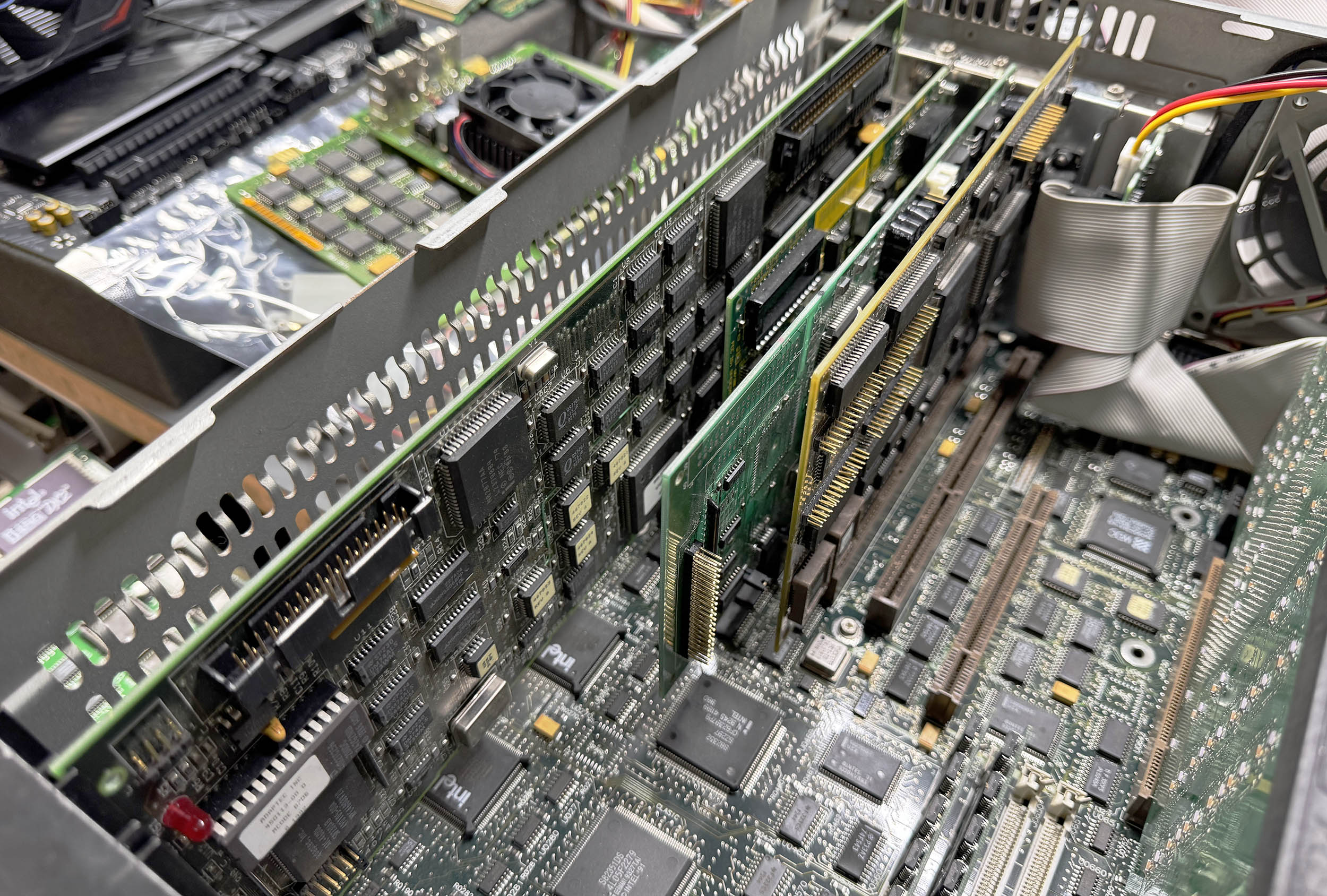 I then replaced the loud 80 mm fan with a Noctua NF-A8, swapped the original AT power supply for an FSP 350W ATX unit connected through an ATX2AT Smart Converter v2 (which happily handled the 10A required on the 5V rail at full load), added a Sound Blaster 16, and finally replaced the noisy, painfully slow 270 MB Quantum ProDrive LPS hard drive with a shiny 4 GB CompactFlash card connected to the motherboard’s IDE interface. To make the CompactFlash card bootable, I added an ISA ROM card loaded with the XT-IDE firmware. After that, I configured all the EISA cards using the proprietary setup utility and configuration files, then installed MS-DOS 6.22 and Windows for Workgroups 3.11. Windows NT 3.51 is next on the list. And yes, it runs DOOM!
I have an Express Box with as many of the boards as I could collect while working at Intel. Still runs great. i did have to modify the CMOS chip/battery by doing a little surgery and adding an external CMOS battery. Lots of net card, graphics card, modem etc that are EISA.
I am looking for a home for the box and all of the hardware that goes with it. Time to part with it.